Presets for Adobe Lightroom Classic
In this section, you’ll find a curated selection of my signature presets, all handcrafted and developed by me, and used across all of my photo shoots. The collection includes a comprehensive all-purpose preset set, film-inspired presets, and my unique, signature color for wedding photography.
Make your selection below — each preset pack includes a detailed description and preview images in the gallery, so you can explore the look and feel and choose the style that resonates with you most.
80$ 49$ limited time offer
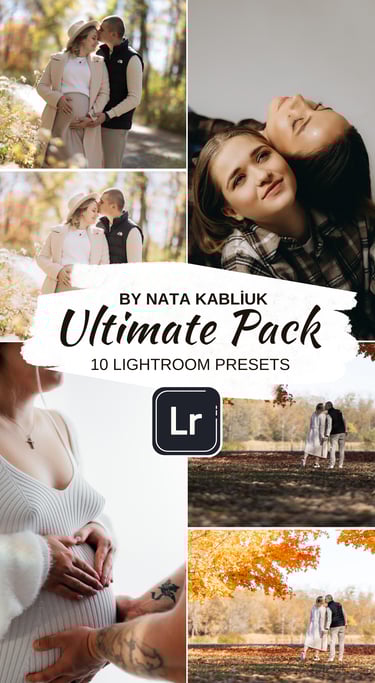
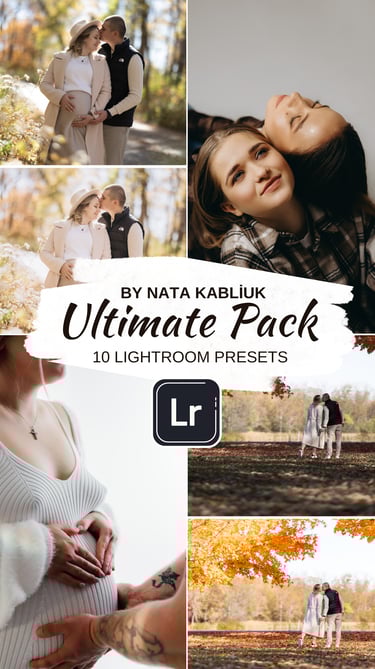
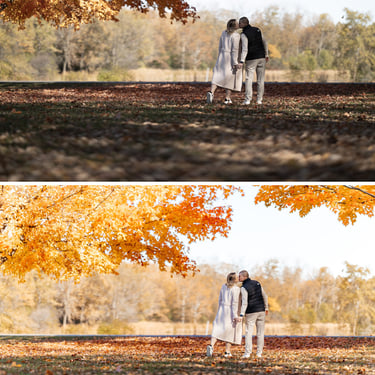
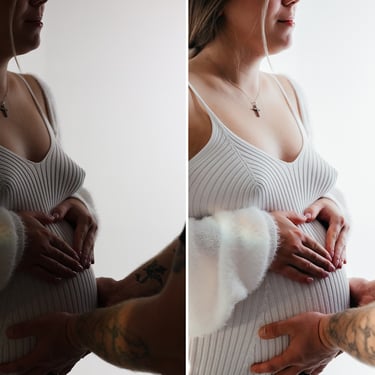
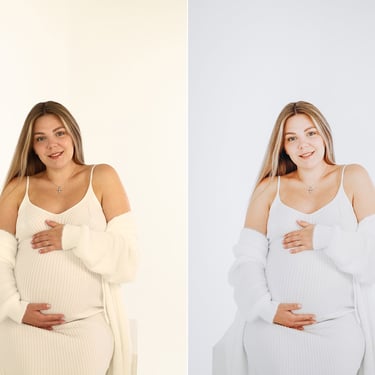
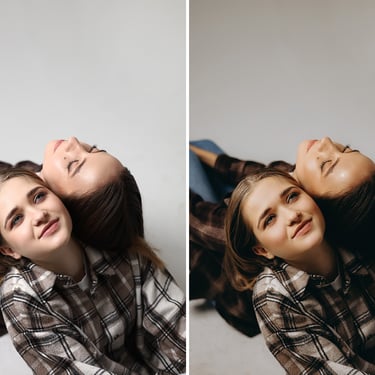
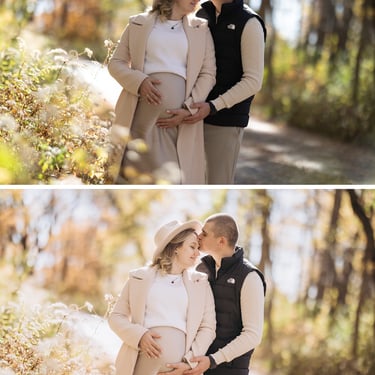
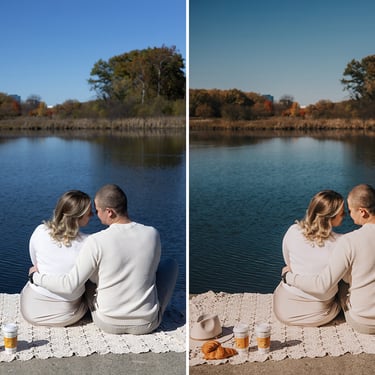
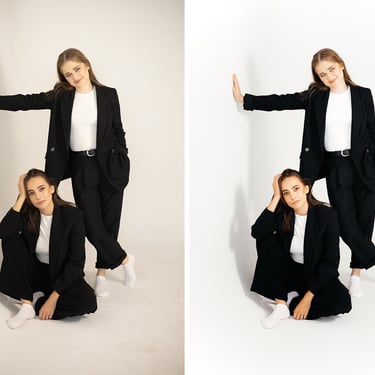
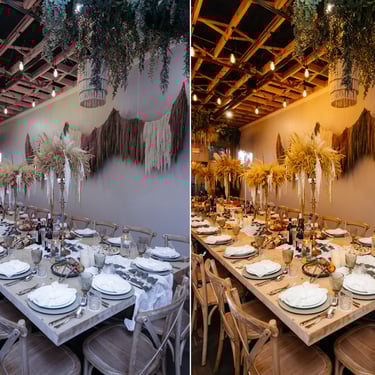
Presets for Adobe Lightroom Classic Ultimate Pack (Desktop only)
These presets are designed specifically for the desktop version of Adobe Lightroom Classic.
This is a complete preset set suitable for street and urban photography, outdoor and natural light shoots, as well as studio photography, helping you achieve clean, balanced, and true-to-life colors across different lighting conditions.
After payment, you will receive a download link within 12 hours.
The package includes 10 presets and a step-by-step installation guide to help you get started quickly and easily.
BEFORE / AFTER (Click on photo for preview)
After installing the presets, it’s important to understand that for the best results they need to be fine-tuned.
Because every photo is different, presets will apply slightly differently depending on lighting and shooting conditions.
For the preset to work perfectly, make sure to adjust the exposure and white balance after applying it to your photo. This step is essential to achieve accurate colors and a natural final look.
If you have any questions or need help, feel free to message me privately — I’ll be happy to help.
100$ 50$ limited time offer
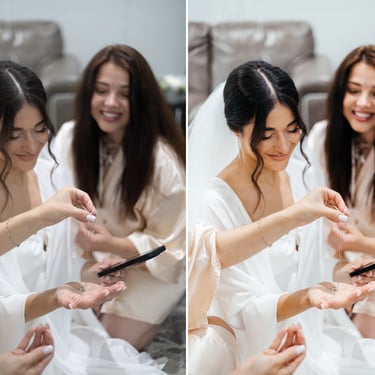
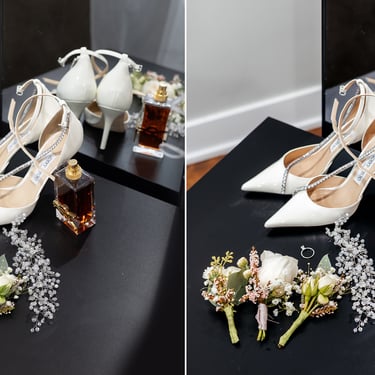
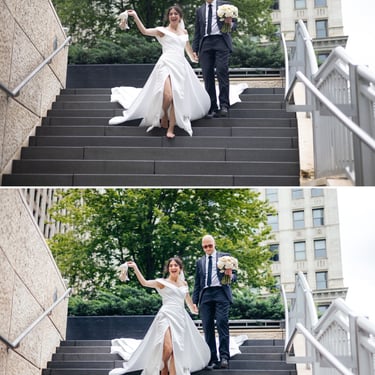
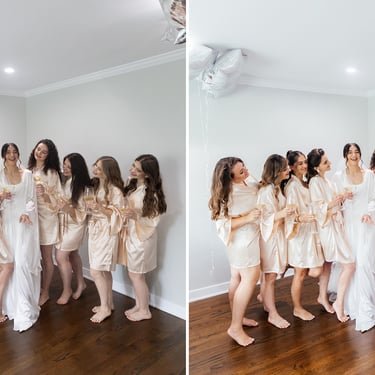
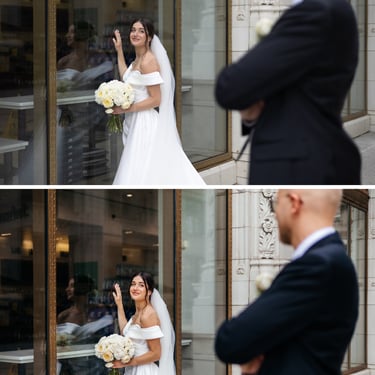
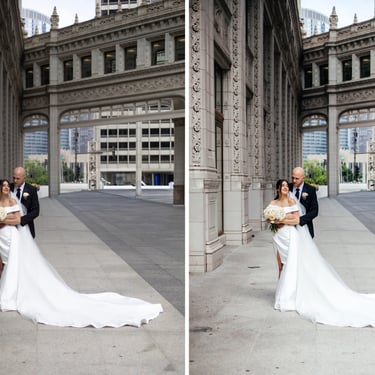
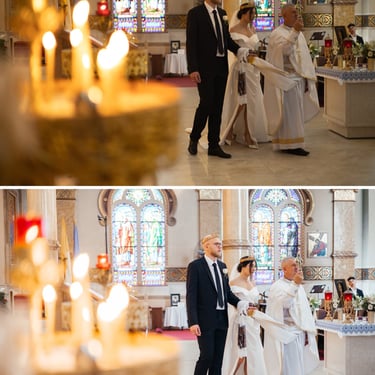
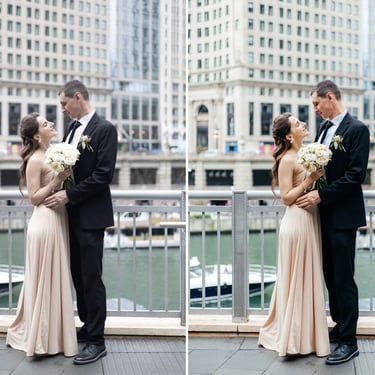
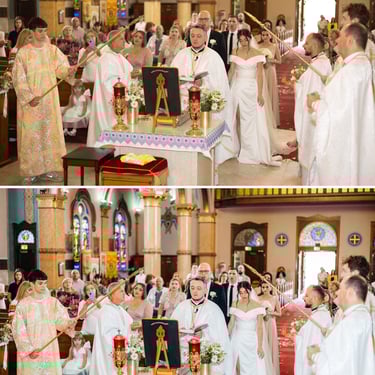
Signature Wedding Presets for Adobe Lightroom Classic (Desktop)
These presets are designed specifically for the desktop version of Adobe Lightroom Classic.
A refined collection of clean, timeless color presets designed for wedding photography. These presets deliver an elegant, high-end look across all lighting conditions, creating images that feel cohesive, luxurious, and emotionally rich. Loved by my brides and trusted for years, this color style remains modern and relevant over time. A truly unique opportunity — available in a very limited release.
After payment, you will receive a download link within 12 hours.
The package includes 4 presets and a step-by-step installation guide to help you get started quickly and easily.
BEFORE / AFTER (Click on photo for preview)
After installing the presets, it’s important to understand that for the best results they need to be fine-tuned.
Because every photo is different, presets will apply slightly differently depending on lighting and shooting conditions.
For the preset to work perfectly, make sure to adjust the exposure and white balance after applying it to your photo. This step is essential to achieve accurate colors and a natural final look.
If you have any questions or need help, feel free to message me privately — I’ll be happy to help.
60$ 45$ limited time offer
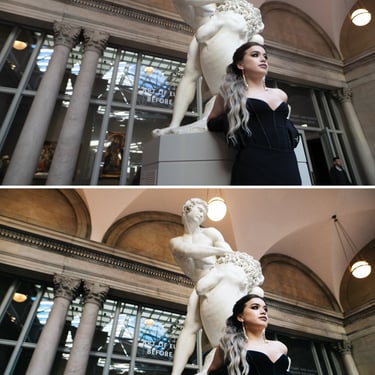
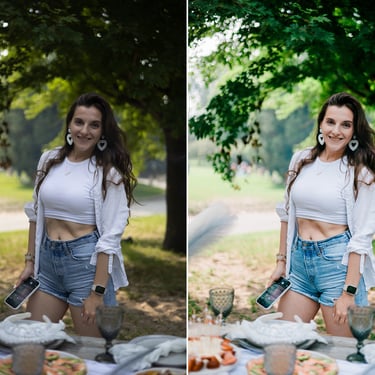
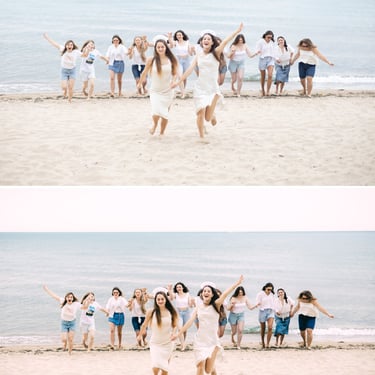
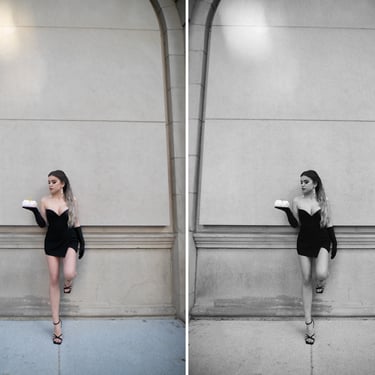
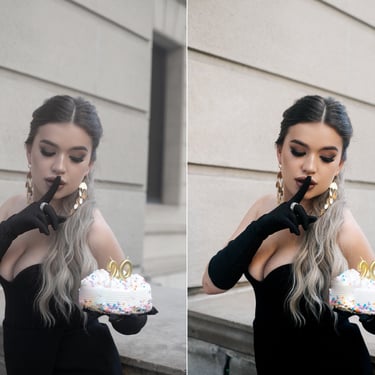
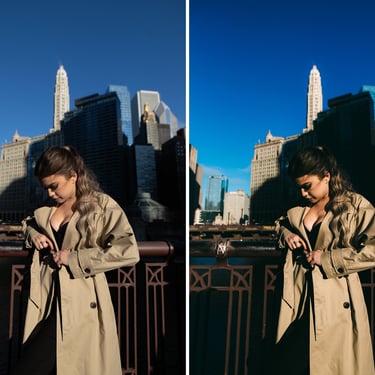
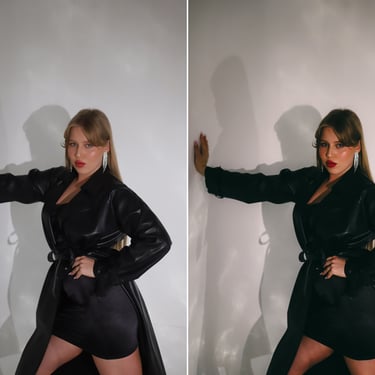
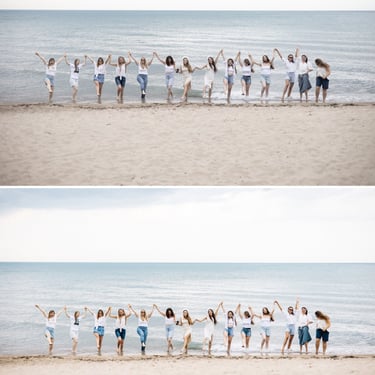
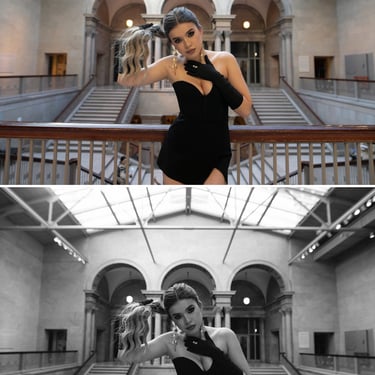
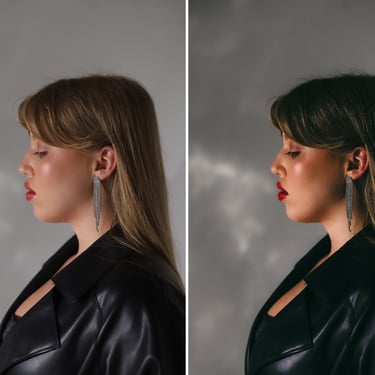
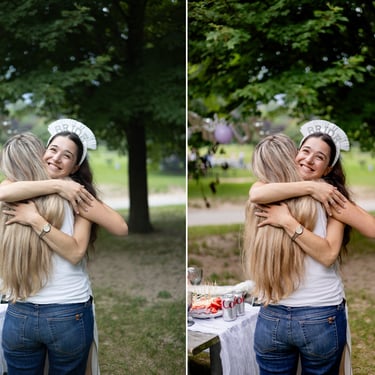
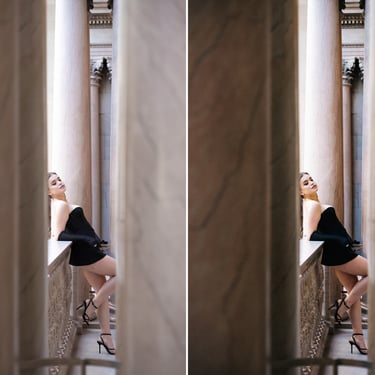
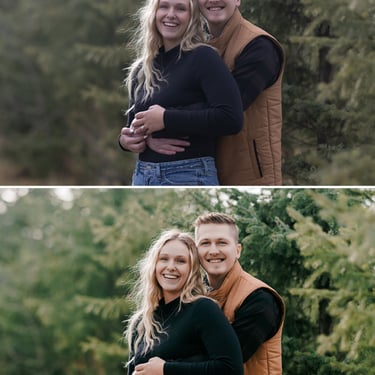
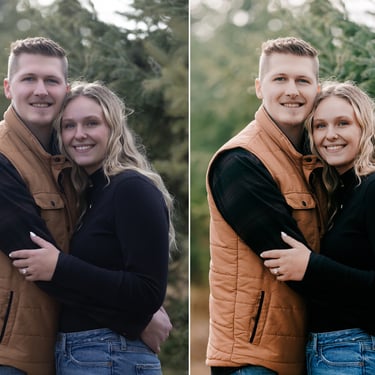
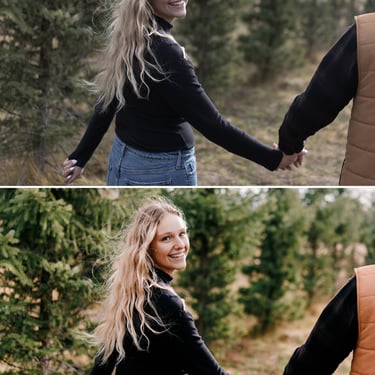
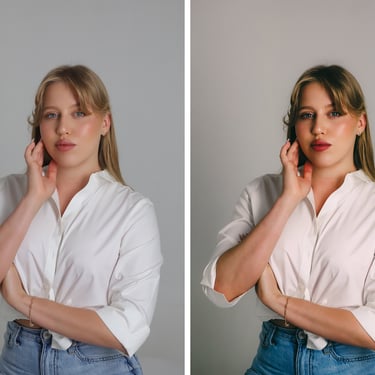
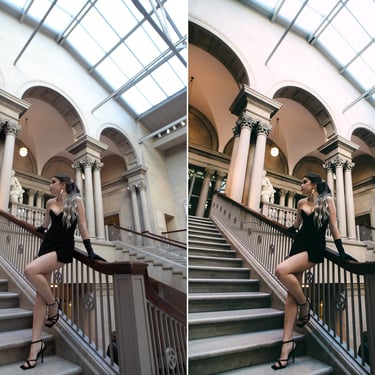
Film-Inspired Preset Collection for Adobe Lightroom Classic (Desktop)
These presets are designed specifically for the desktop version of Adobe Lightroom Classic.
A curated set of five handcrafted presets — four color presets and one timeless black-and-white — inspired by iconic film looks such as Kodak Portra, Provia, and other classic emulsions. Designed to deliver a stylish, cinematic aesthetic, these presets adapt beautifully to a wide range of shooting conditions, from studio sessions to natural-light street photography.
Developed by me and used extensively in my own work, these presets are a trusted part of my professional workflow and a favorite among my clients. I use them for commercial projects, personal photo sessions, travel photography, and everyday storytelling — ensuring a consistent, refined look that feels both modern and timeless.
After payment, you will receive a download link within 12 hours.
The package includes 5 presets and a step-by-step installation guide to help you get started quickly and easily.
BEFORE / AFTER (Click on photo for preview)
After installing the presets, it’s important to understand that for the best results they need to be fine-tuned.
Because every photo is different, presets will apply slightly differently depending on lighting and shooting conditions.
For the preset to work perfectly, make sure to adjust the exposure and white balance after applying it to your photo. This step is essential to achieve accurate colors and a natural final look.
If you have any questions or need help, feel free to message me privately — I’ll be happy to help.
240$ 99$ limited time offer
Bundle of Three Preset Collections
This pack includes all three preset collections in one complete bundle — a powerful, cost-effective solution for professional and everyday editing.
These presets are designed specifically for the desktop version of Adobe Lightroom Classic.
In this section, you’ll find a curated selection of my signature presets, all handcrafted and developed by me, and used across all of my photo shoots. The collection includes a comprehensive all-purpose preset set, film-inspired presets, and my unique signature color for wedding photography.
You can also purchase all three preset collections together for $99— a highly cost-effective option and an excellent choice for professional work.
Make your selection below — each preset pack includes a detailed description and preview images in the gallery, allowing you to explore the look and feel and choose the style that best fits your workflow.
After payment, you will receive a download link within 12 hours.
The package includes all presets and a step-by-step installation guide to help you get started quickly and easily.
After installing the presets, it’s important to understand that for the best results they need to be fine-tuned.
Because every photo is different, presets will apply slightly differently depending on lighting and shooting conditions.
For the preset to work perfectly, make sure to adjust the exposure and white balance after applying it to your photo. This step is essential to achieve accurate colors and a natural final look.
If you have any questions or need help, feel free to message me privately — I’ll be happy to help.